
The 888 Wholesale B2B client portal is the workspace where approved partners run their account end to end: browse the production catalog, see the pricing that applies to your business, configure private label, submit orders, pay, track shipments, reorder in one click, raise returns, and watch stock levels across your warehouses. This guide walks through the portal screen by screen so you always know where to find what you need.
If you do not yet have an account, you can open a wholesale account in a couple of minutes. If you already have one, sign in at the partner login and follow along.
What the client portal is, and who it is for
888 Wholesale runs two divisions from one supply base: streetwear wholesale and enterprise supply. The client portal is the procurement side of that operation. It is built for the people who actually place and manage orders: brand owners running private label programs, retailers reordering core lines, and procurement teams running formal supply contracts.
The public website is where you learn about the company and the catalog. The portal is where work happens. Once you are signed in, every link keeps you inside your account, so you are never bounced back out to marketing pages in the middle of a task.
Two divisions, one account. Whether you buy blanks for a streetwear label or uniforms for a corporate program, the same portal handles both. You can read more about the company behind it on the about page.
How to get access: registration and instant approval
Access starts with a short two step registration. Step one captures your name, email, and password and creates your account immediately. Step two collects your company details, such as company name, business type, and VAT number. As soon as step two is complete, your account is activated for catalog access and B2B pricing, so there is no waiting period before you can start sourcing.
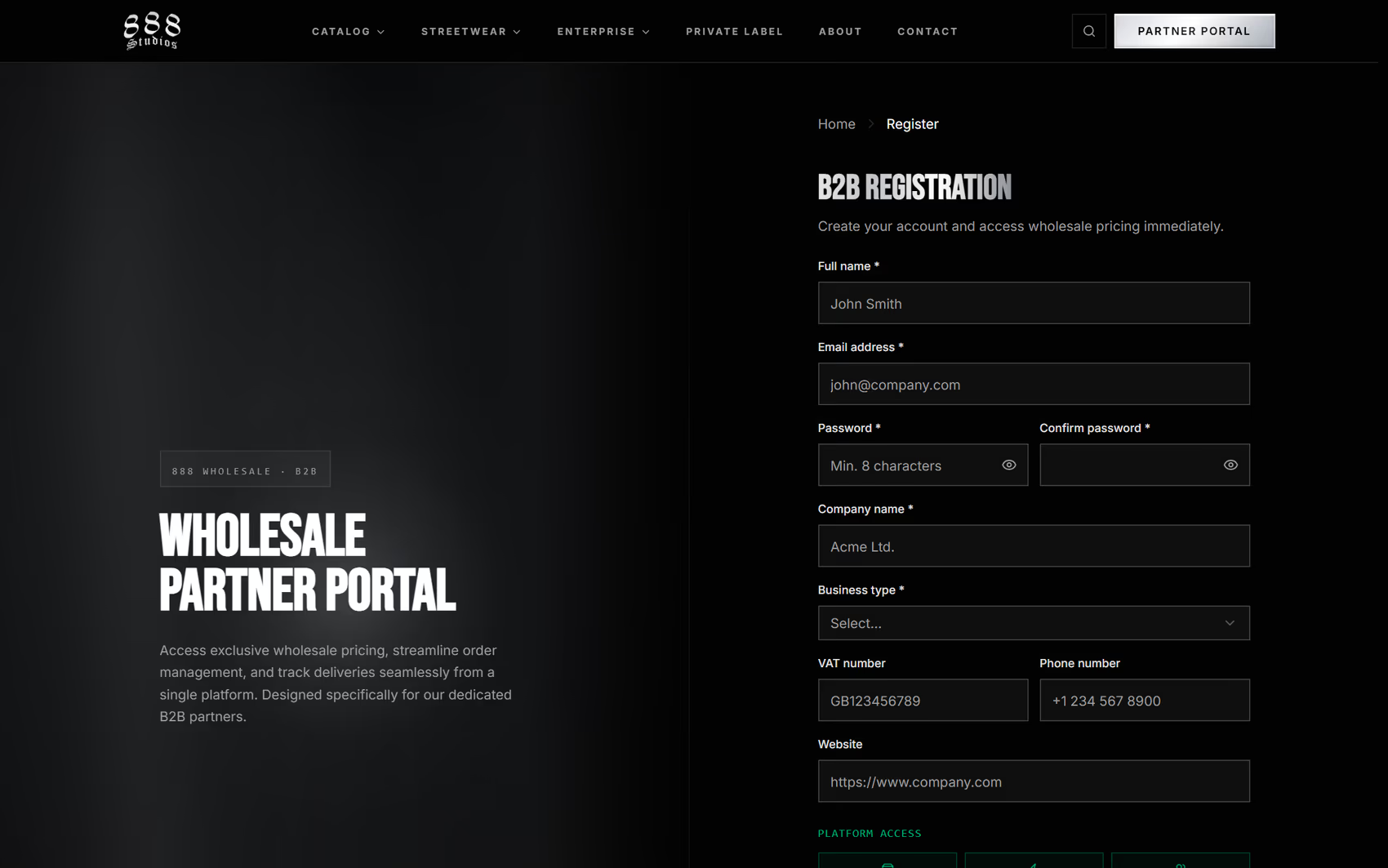
Registration is a short two step form. Step two activates your account for catalog access and partner pricing.
To begin, use Open an Account from the navigation, or the Request Access button on the homepage. If you started registering and did not finish, you can return to the same link and pick up where you left off.
Logging in and finding your way around
Sign in at the partner login with your email and password. Approved partners land on the portal dashboard. From there, the top navigation bar is your map.
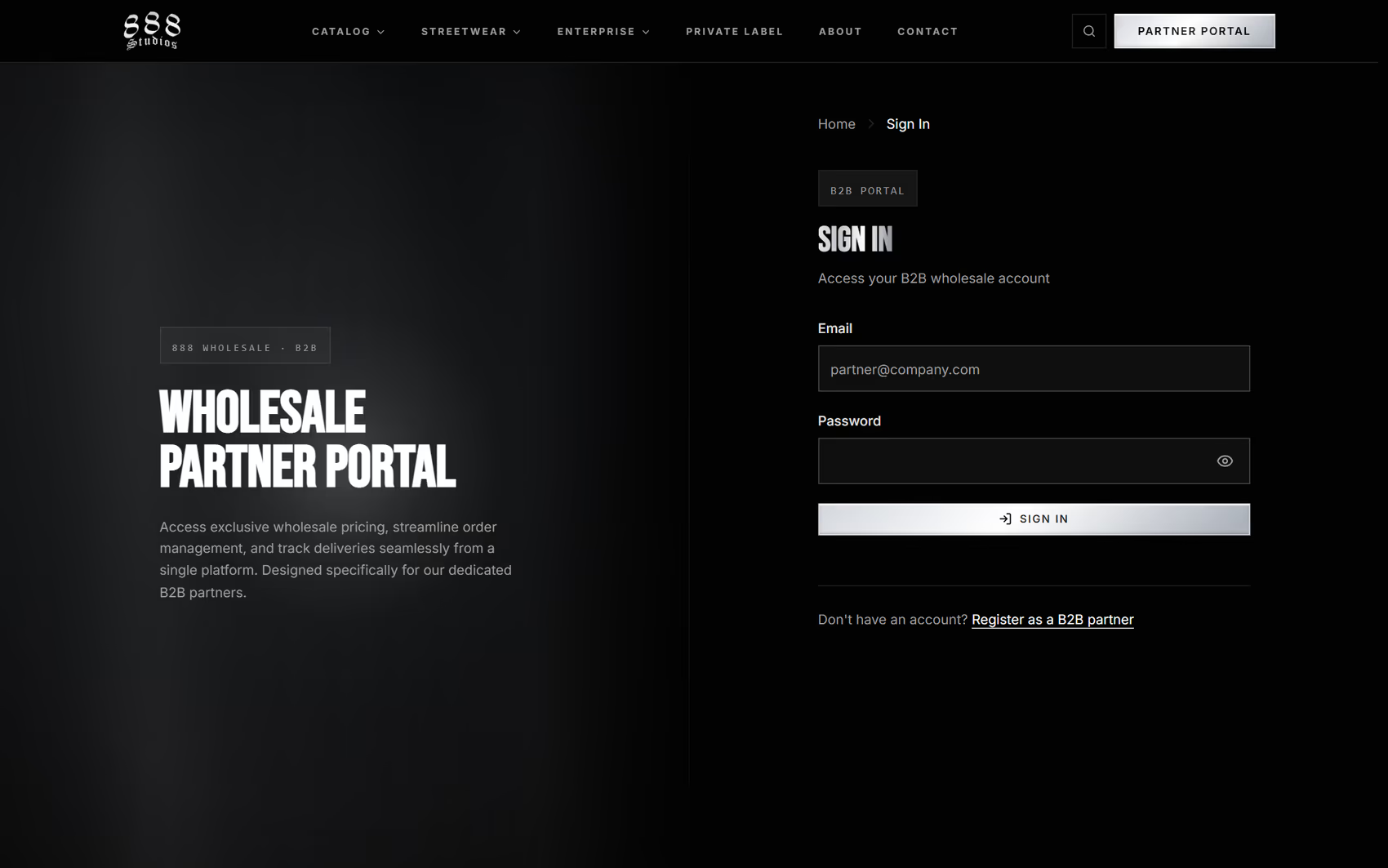
The partner sign in page. Approved partners are taken straight to the dashboard.
The portal navigation gives you three product menus and a set of account tools:
- Catalog opens the full product menu, organized by apparel blanks, headwear, and specialty lines. It is your route to every product.
- Streetwear and Enterprise are the two division menus, so you can jump straight to the side of the catalog you work with.
- Search sits in the top bar and finds products by name or SKU as you type.
- Cart opens your current request from any page.
- The account menu holds My Account, My Orders, Returns and RMA, Schedule Consultation, and sign out. It also carries a language toggle for English and Hungarian.
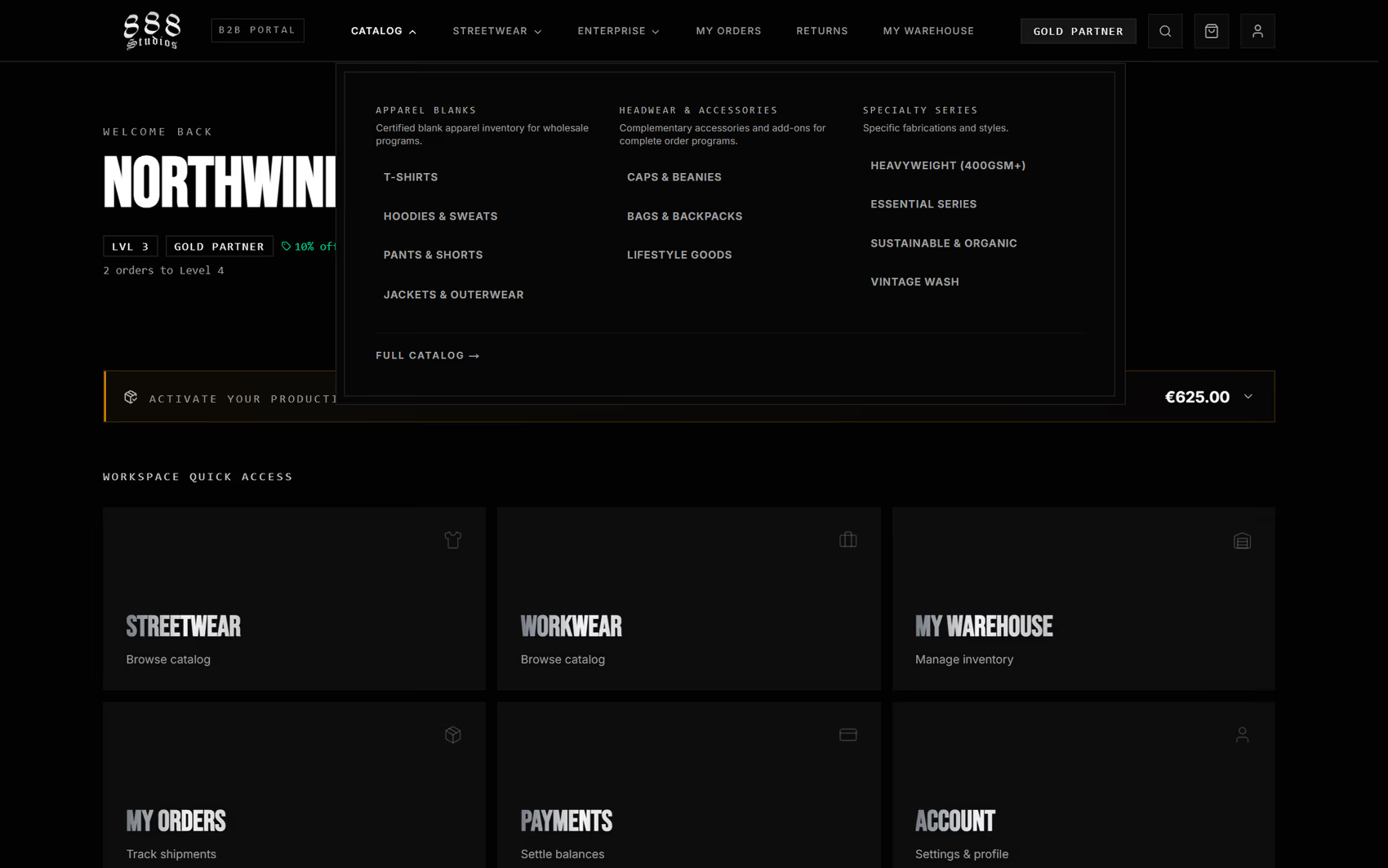
The Catalog menu groups every product line in one place. Streetwear and Enterprise keep their own division menus.
Here is a quick reference for where the most common tasks live:
- See your pricing on a product: open the product from Catalog or Search.
- Configure private label: open a customizable product, then the configurator.
- Check an order or get a tracking link: the account menu, then My Orders.
- Reorder a past order: open the order, then Reorder.
- Start a return: the account menu, then Returns and RMA.
- Watch your stock levels: My Warehouse.
- Update company or address details: My Account.
- Book a call with the team: the account menu, then Schedule Consultation.
Your dashboard at a glance
The dashboard is built for returning buyers, so the things that need action come first. At the top you see your company name with a compact status strip: your partner level, your pricing tier, your active discount, and how many orders separate you from the next level.
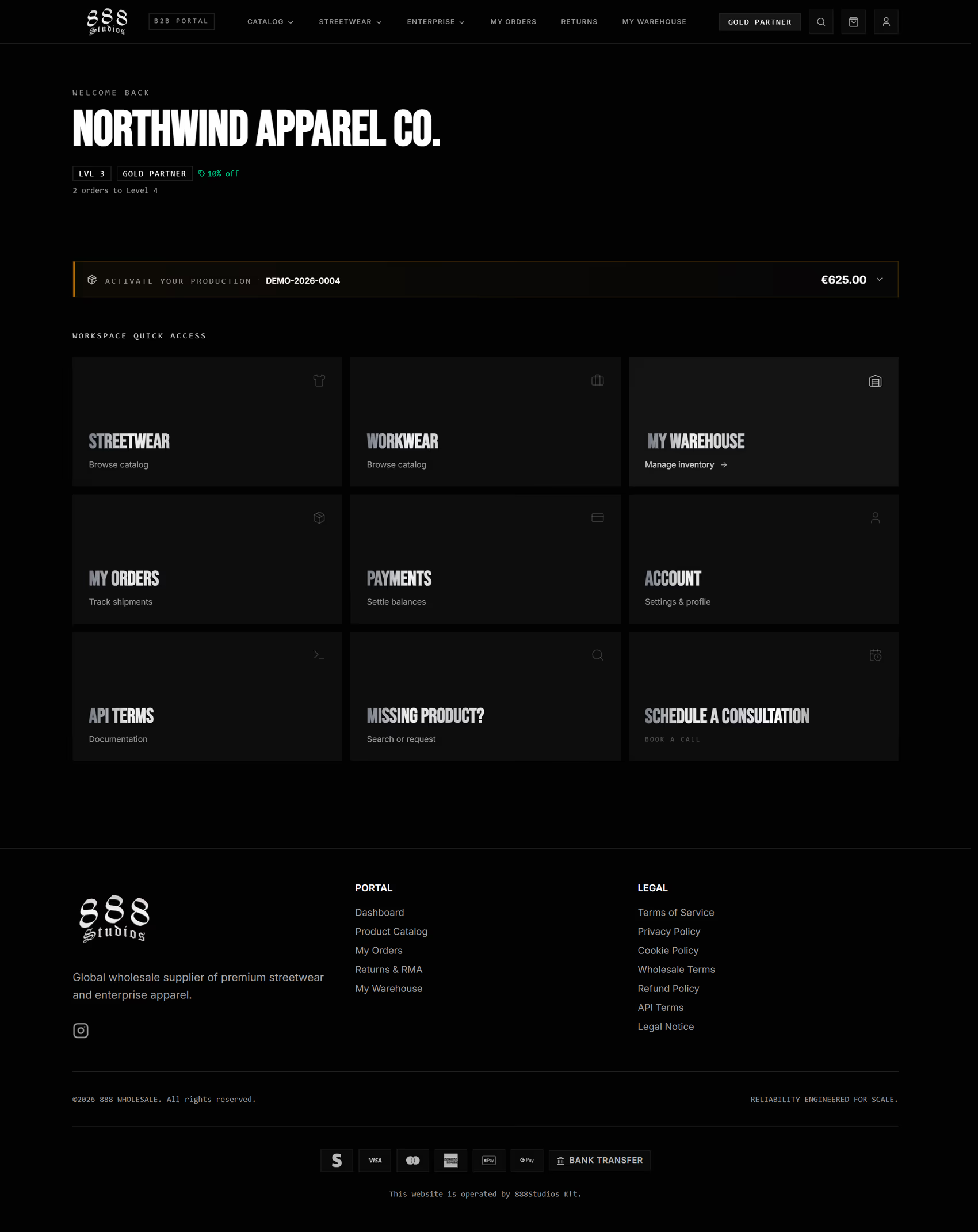
The dashboard leads with your status strip and any payment alerts, then a workspace grid that links straight to the catalog, orders, payments, warehouse, and your account.
Below the status strip, the dashboard surfaces:
- Payment alerts for any confirmed order that is waiting on payment, with a one click route to settle the balance.
- A workspace quick access grid, your fastest route to the things you use most: Streetwear, Workwear, My Warehouse, My Orders, Payments, Account, API Terms, and a product search for anything you cannot find.
- A Schedule a Consultation card for when you would rather talk to the team than click through a page.
Browsing the catalog and finding products
There are three ways into the catalog: the Catalog menu in the top bar, the All Products view, and search. The All Products page gives you a search box plus filters for category, availability, and whether a product can be customized, so you can narrow a large catalog quickly.
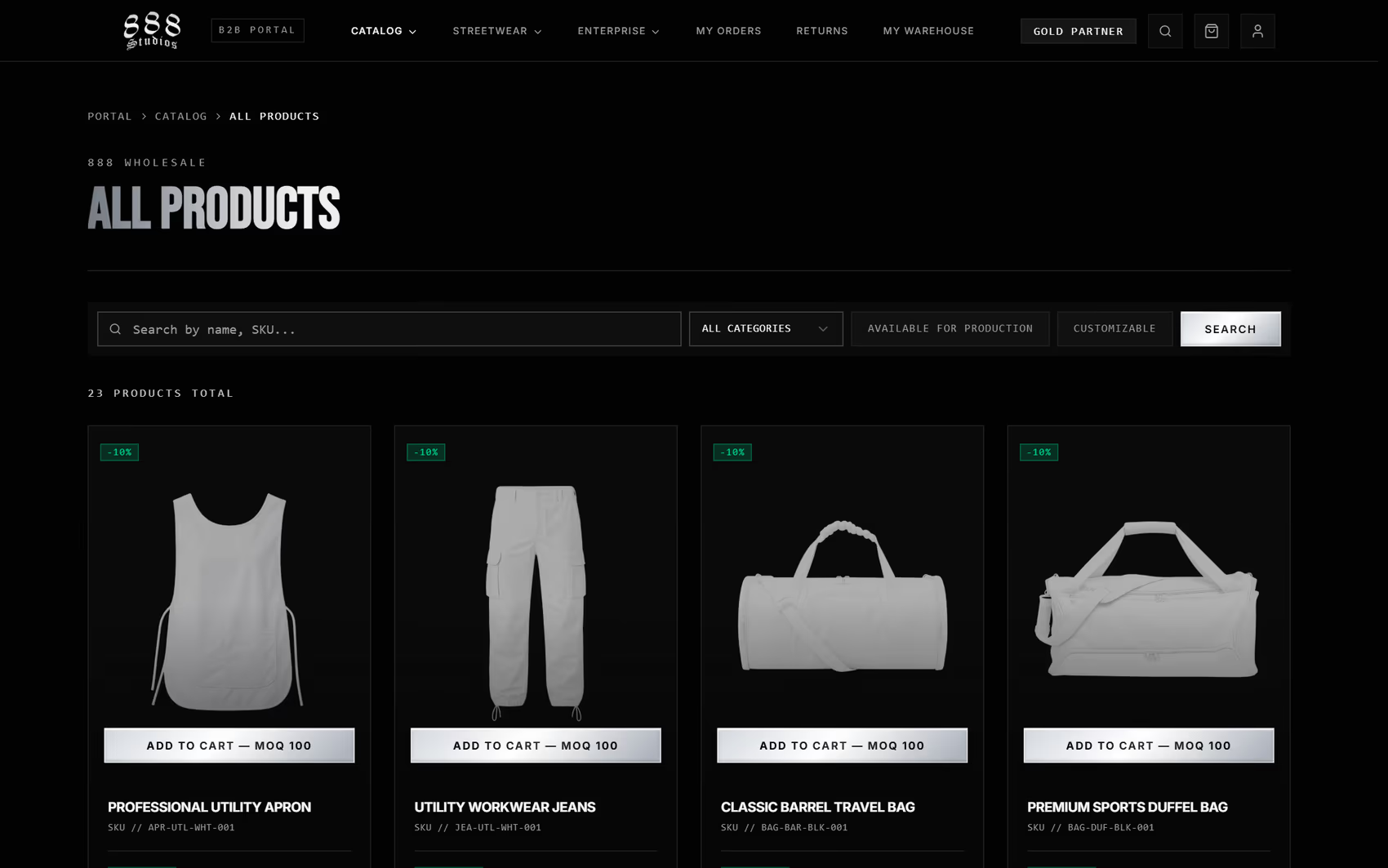
The All Products view pairs search with category and availability filters. Each card shows your price and a production availability badge.
Every product card shows your price per unit and a clear availability badge. Products marked Available for Production are ready to order. Cards for customizable products lead with a Customize and Order action instead of a quick add, because those go through the configurator first.
Understanding your pricing: partner tier and volume rates
Open any product and the pricing tells you two things at once: the rate for your partner tier, and how that rate improves as your quantity grows. If your account sits in a discount tier, the price reflects your partner rate against the standard rate.
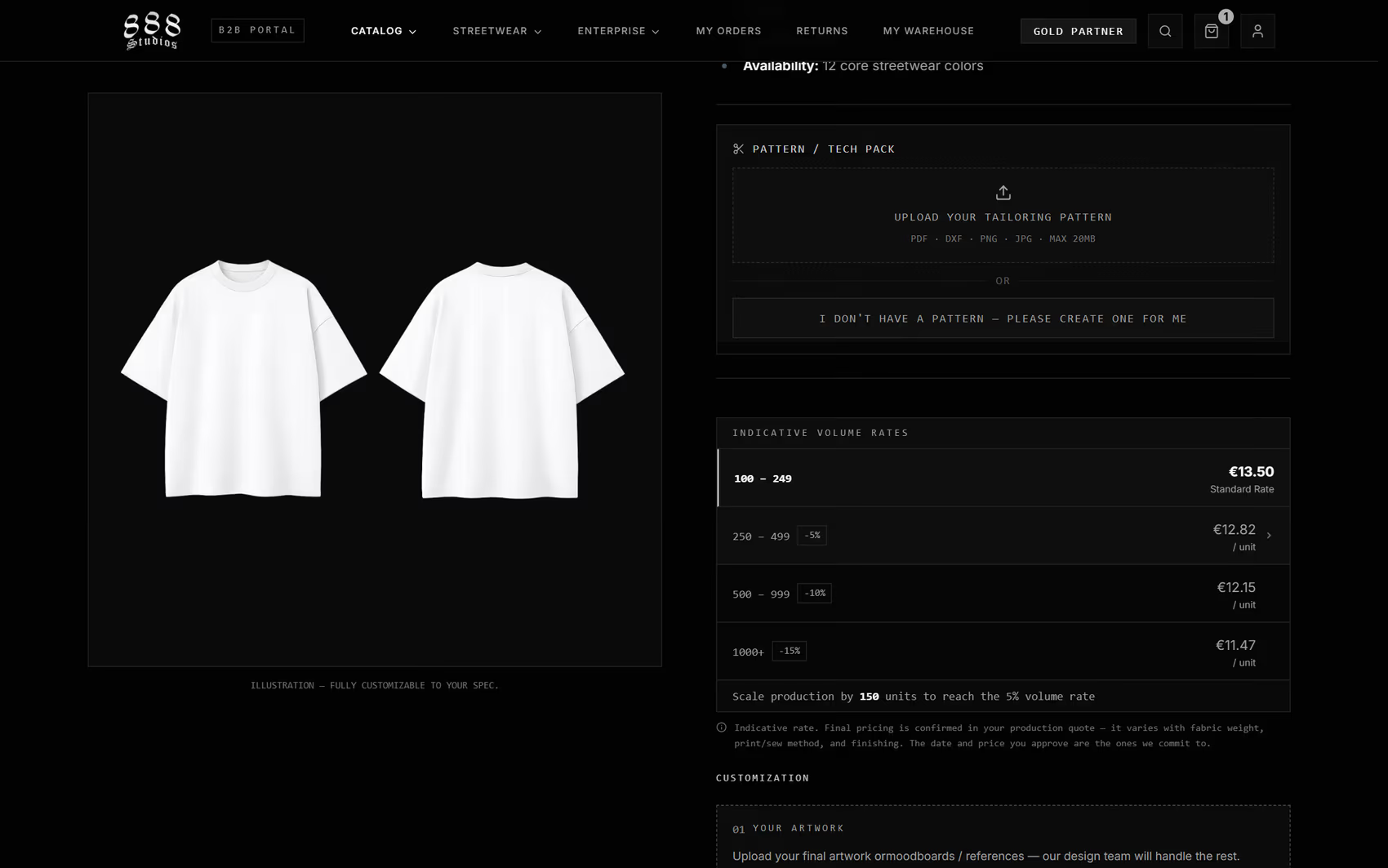
The volume rates table shows how the per unit price drops as you scale, and you can click a tier to set your quantity to it.
Beside the quantity stepper sits the volume rates table. It lists your standard rate at the minimum order quantity, then the lower per unit rates that unlock at higher volumes. Clicking a tier sets your quantity to that tier, which makes it easy to size an order around a price point.
These rates are indicative. 888 Wholesale manufactures to order, so the final number is confirmed in your production quote, which varies with fabric weight, print or sew method, and finishing. The volume rates show the direction of travel: the more units you commit, the lower the per unit rate.
Pricing also respects the minimum order quantity, or MOQ, shown on each product. The order tools never let you submit below the MOQ, and they tell you exactly how many units you still need to reach it.
Configuring a private label order
Customizable products replace the standard add to cart with a configurator. This is where private label happens: artwork, print positions, techniques such as embroidery, color, an optional size breakdown, and notes for the production team. You can also attach or request a tailoring pattern.
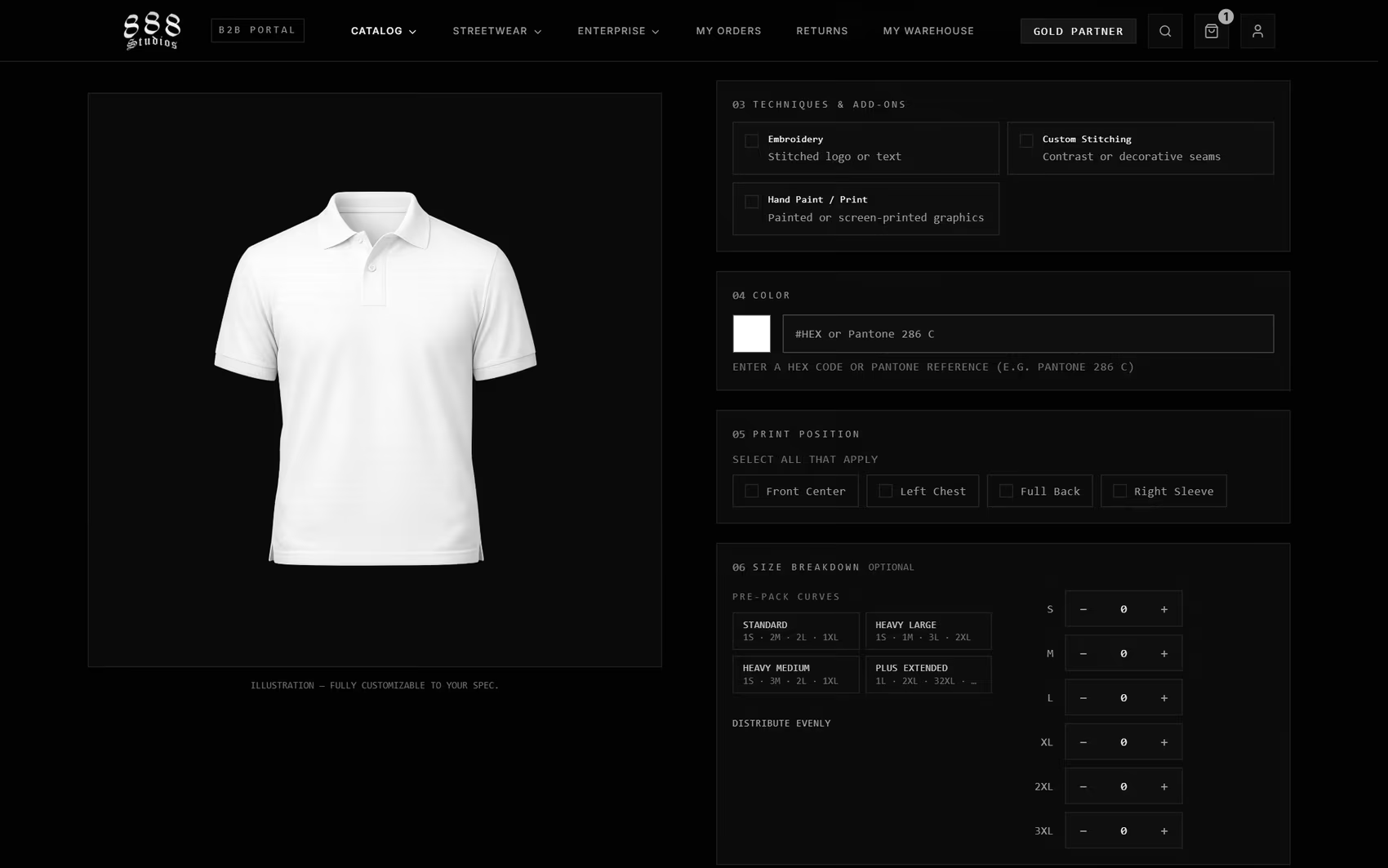
The configurator collects everything production needs: print positions, techniques, color, and an optional size breakdown with pre pack curves.
A few things make the configurator easy to live with:
- The quantity stays in one place. A single master quantity drives the order, and editing the optional size breakdown simply keeps the total in sync, so a size mismatch is never possible.
- Pre pack size curves distribute your quantity across sizes in one click, or you can ask the team to recommend a curve.
- Your work is saved automatically as a draft, so you do not lose a complex configuration if you navigate away.
If you want to scope a private label program before you build it in the portal, the private label and customization page walks through what is possible across branding, color, patterns, hardware, and construction.
Placing an order: request, terms, and payment
When your configuration is ready, add it to your request and open the cart from any page. The cart shows each line with its customization summary, your volume rate, and the order total. From there you proceed to checkout.
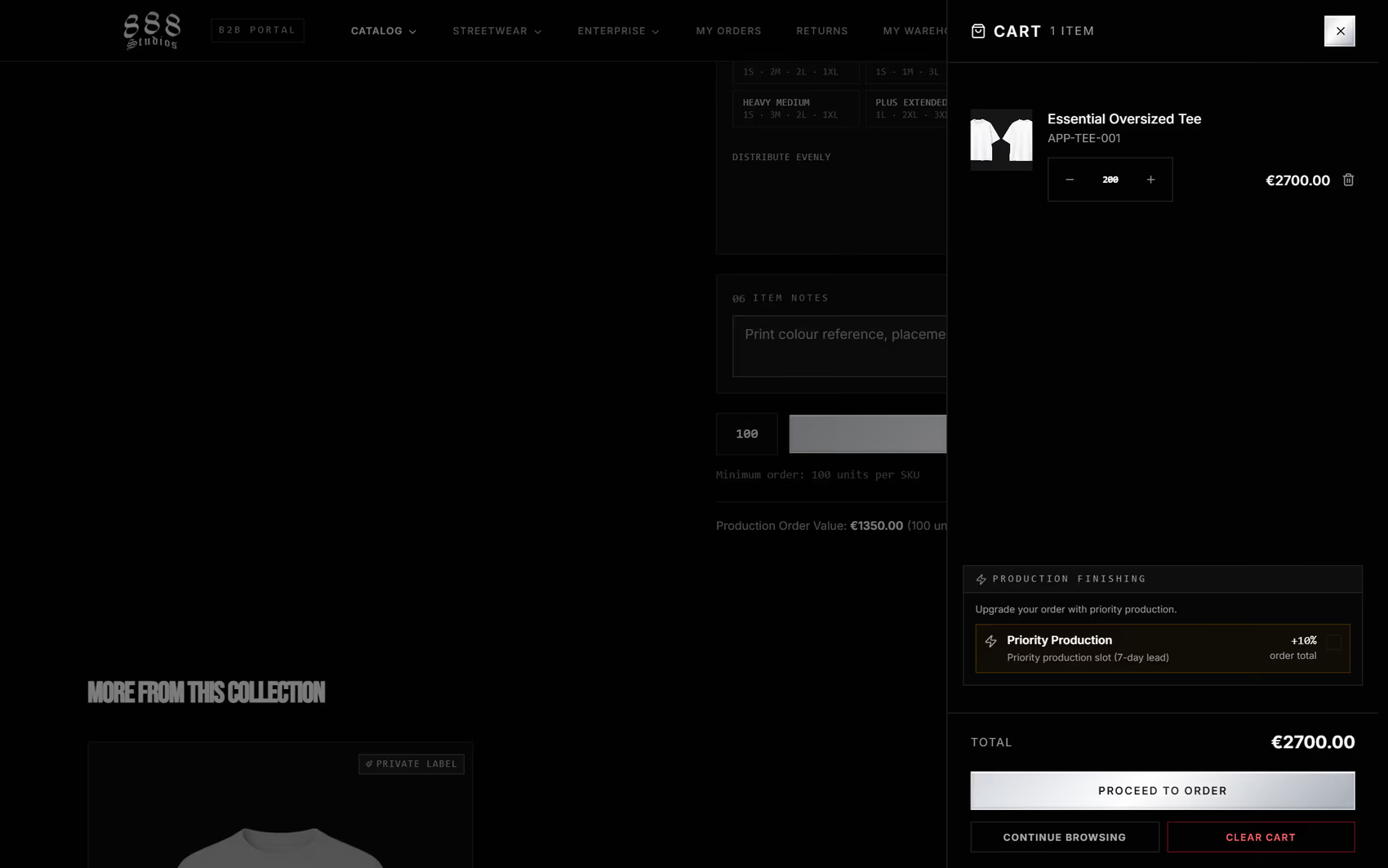
The cart shows each line with its volume rate and order total. Proceed to order takes you to checkout.
Checkout reviews your cart, confirms your shipping address, and presents the Wholesale Terms. The first time you order, or whenever the terms change, you accept them with a single checkbox next to the confirm button. After that, a short note confirms which version you accepted and when.
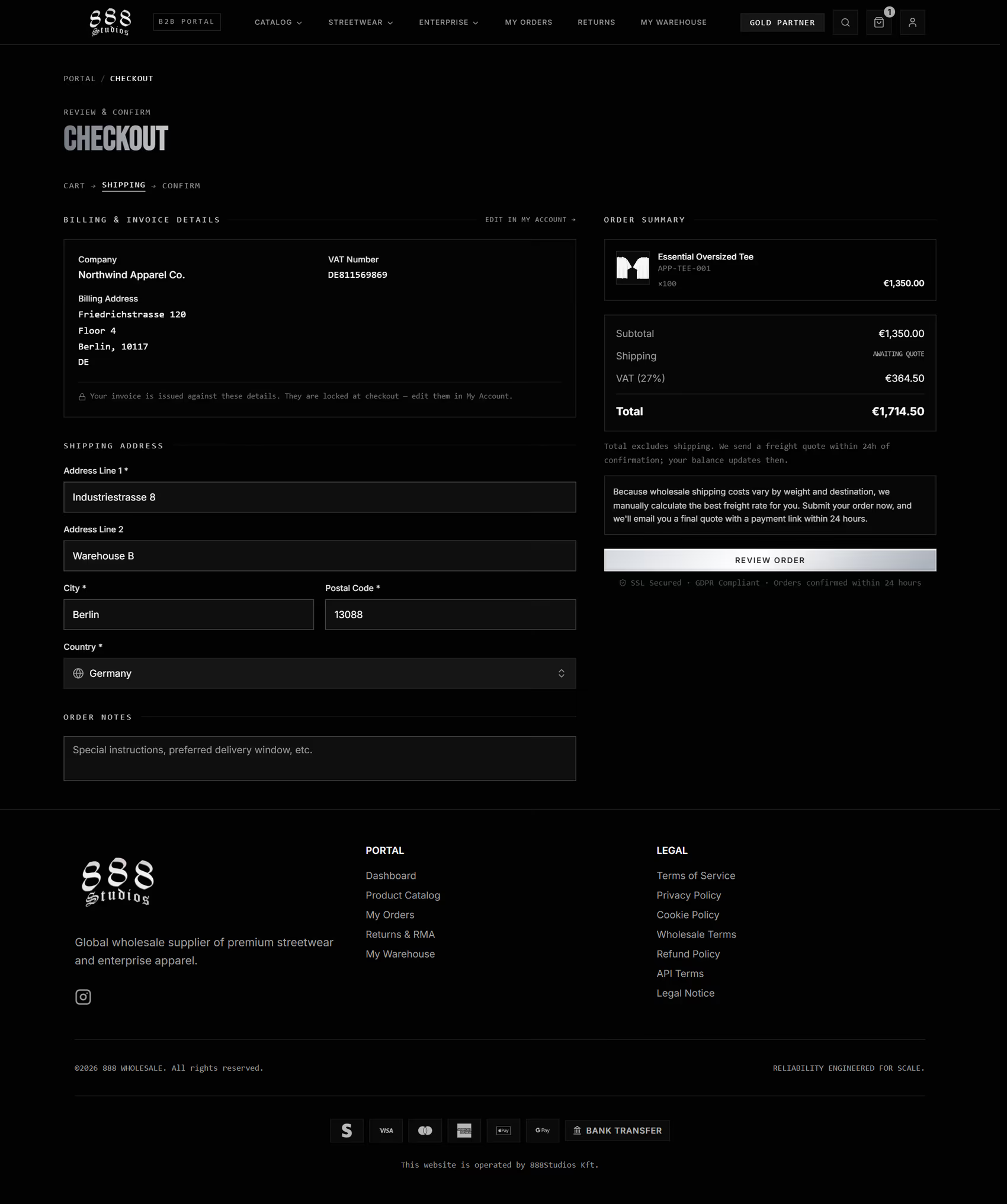
Checkout reviews the cart and confirms your shipping address. Wholesale Terms acceptance appears on the final confirm step, and large orders ship on a freight quote set after the order is placed.
Because wholesale orders often ship on pallets, shipping is quoted manually rather than guessed at checkout. Your order is created, the team confirms the freight quote, and you then settle the balance. You can pay a 50 percent deposit to secure your production slot, or pay in full for priority processing. Card payments run through secure checkout, and bank transfer is available where you prefer to wire the balance.
Tracking orders, invoices, and reordering
My Orders is the home for everything you have placed. A two tab view splits all orders from active orders, and each row shows its status and total.
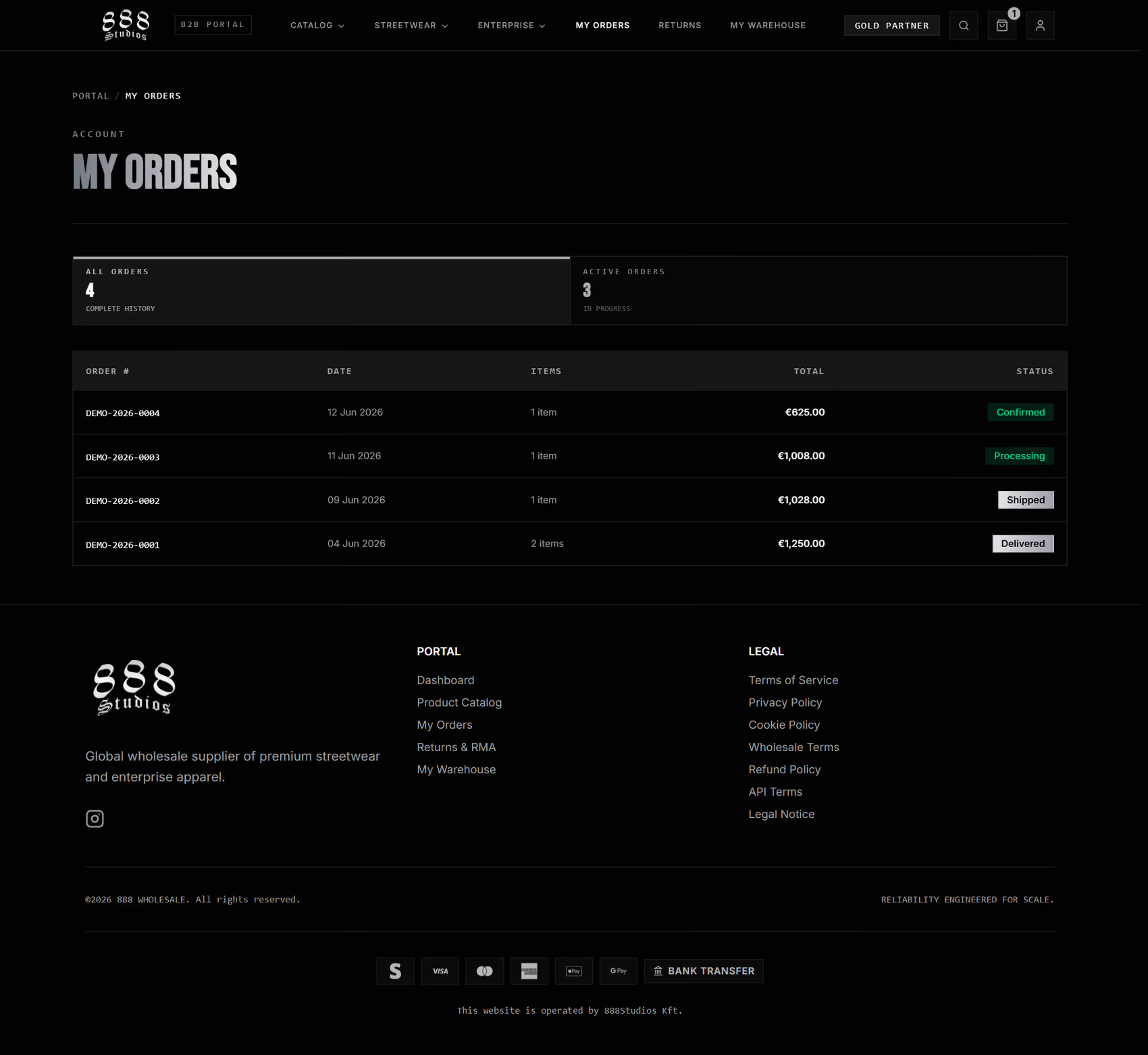
My Orders splits all orders from active orders. Every order carries its status and a route to reorder.
Open any order for the full picture: the line items, the customization summary, artwork downloads, totals, the shipping quote, your payment options, the invoice, and tracking once the order ships. A Reorder action rebuilds a past order into a fresh request, so repeat purchasing takes seconds.
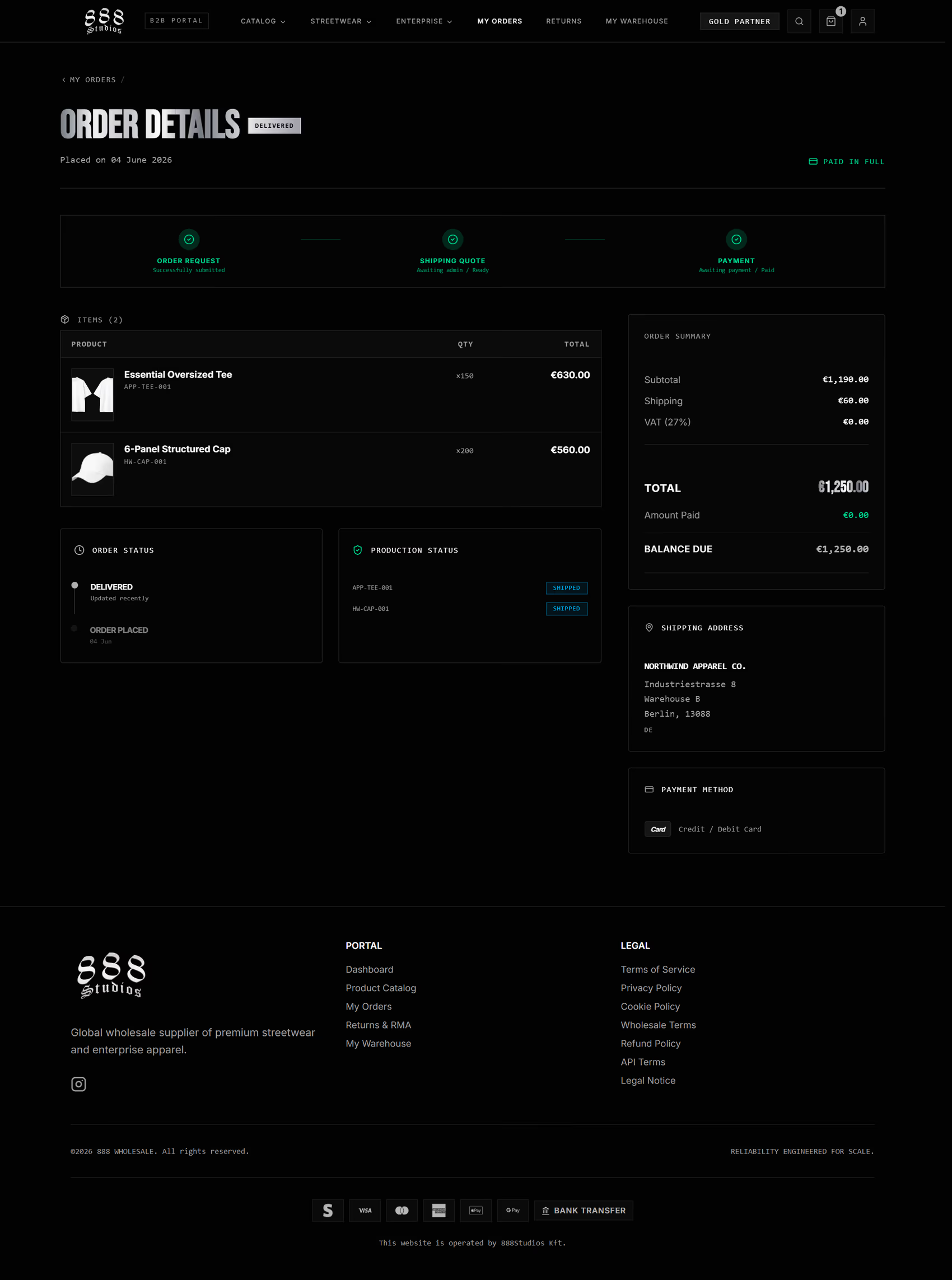
The order detail page carries line items, totals, the status tracker, invoice, and shipping. Tracking links appear once the order ships.
Every order receives a binding production schedule before deposit, confirmed against volume, customization complexity, and factory capacity. The date you approve is the date we commit to.
Returns and RMA
If something needs to come back, Returns and RMA handles it without email back and forth. Open the page, create a request, pick the order and the specific lines, set a quantity and reason per line, attach any evidence, and choose how you would like it resolved.
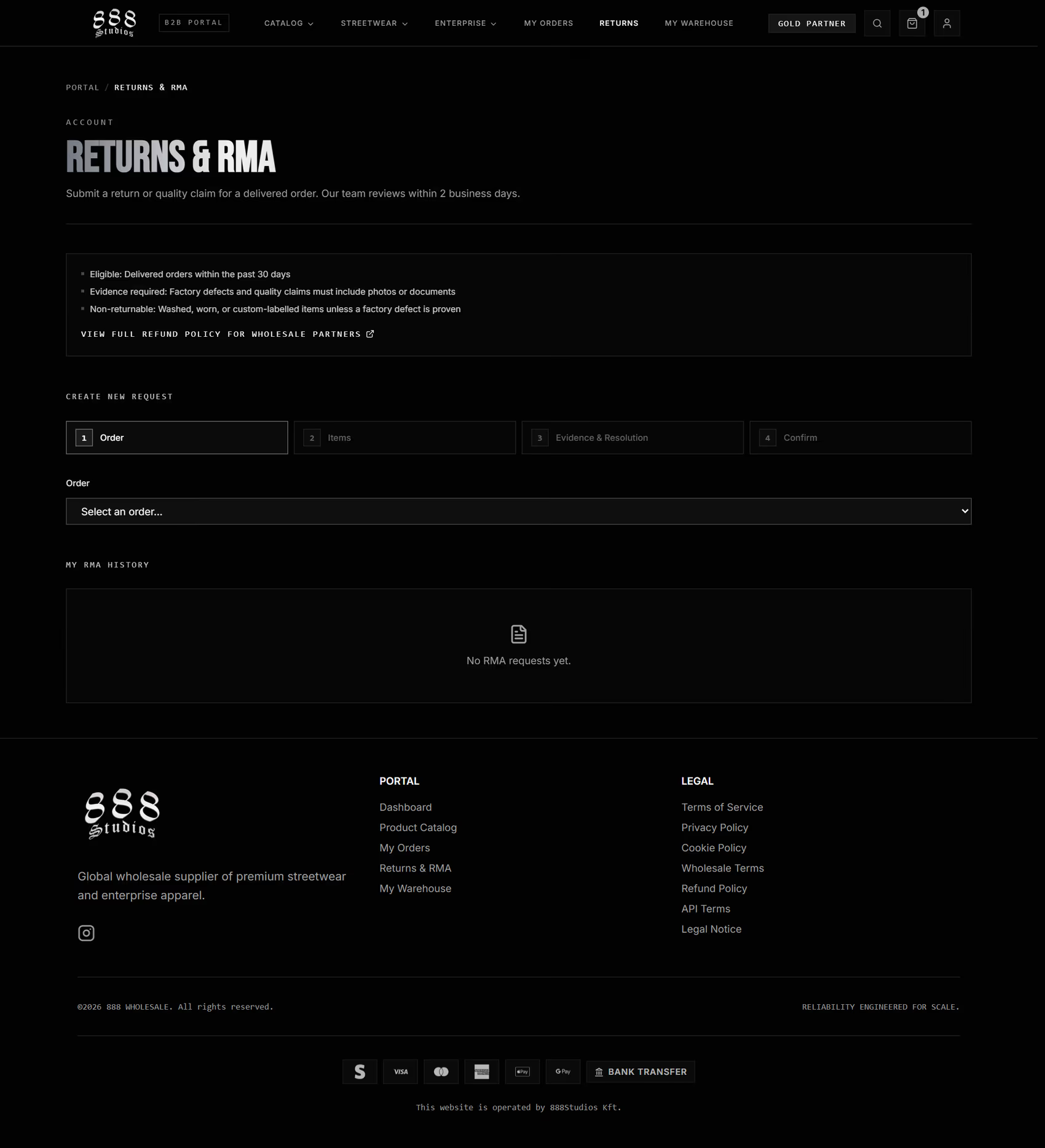
Returns and RMA is fully self service. Create a request against a delivered order, then track its status in your RMA history.
Each request gets an RMA number and a status you can follow from review through to resolution. Approved returns give you a printable packing slip with a scannable code, so the warehouse can receive your return cleanly.
My Warehouse: vendor-managed inventory
For partners who hold stock, My Warehouse turns the portal into a live inventory dashboard. It groups every SKU into Critical, Low, and Healthy, and shows per warehouse tables so you can see exactly where you stand.
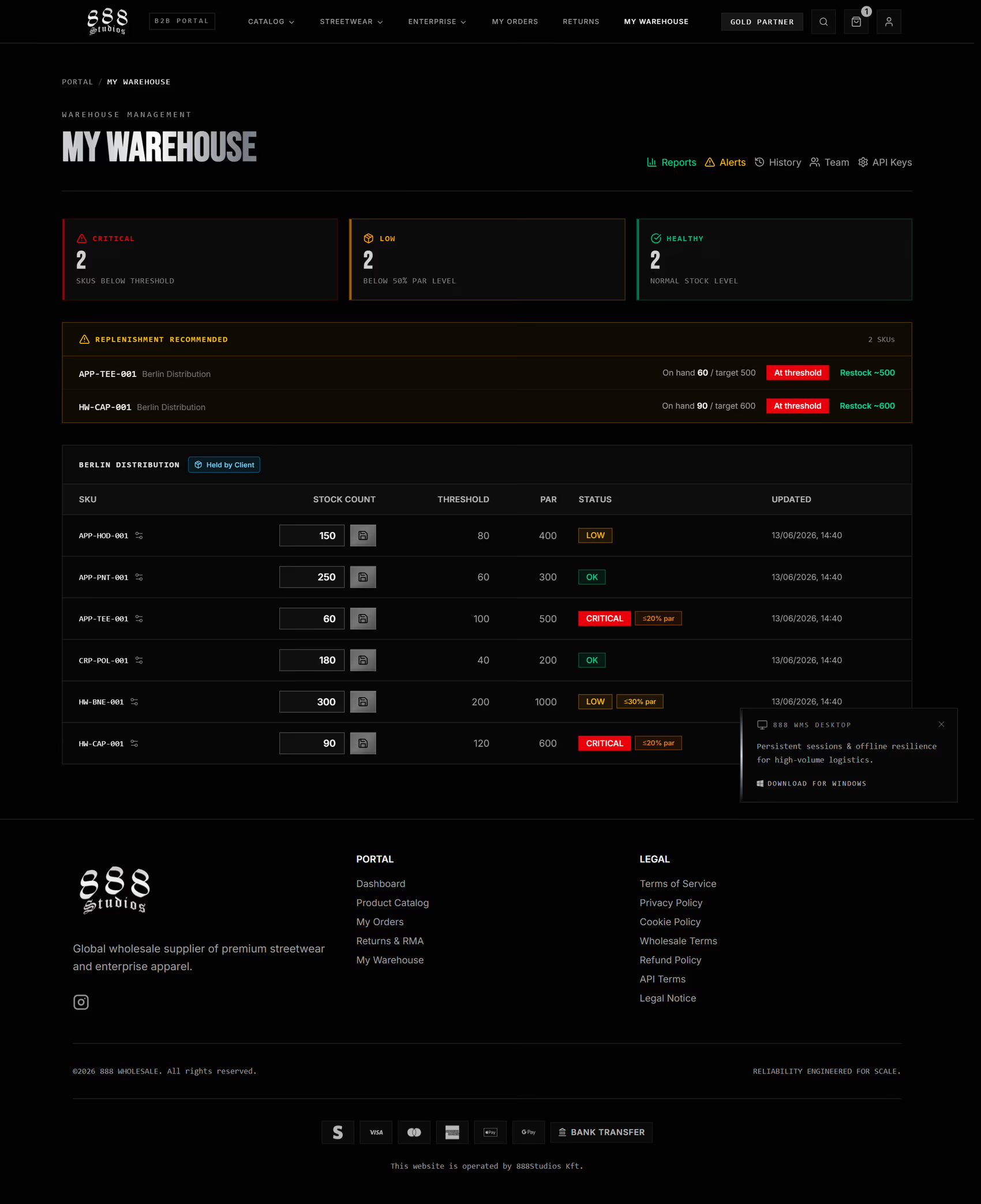
My Warehouse classifies every SKU as Critical, Low, or Healthy and recommends replenishment before you run out.
Two panels do the heavy lifting. The replenishment panel lists SKUs at or near their threshold with a recommended restock quantity, and the incoming shipments panel shows in transit deliveries with carrier and estimated arrival, so you always know where your goods are. If you want 888 to physically hold and call off your safety stock, the vendor-managed inventory page explains the consignment model, and the stock-keeping API covers the integration side.
Managing your account and the desktop client
My Account is one page for everything about your account: your company profile, billing and shipping addresses, a password change, and your partner level and rewards. Update an address here once and checkout uses it automatically.
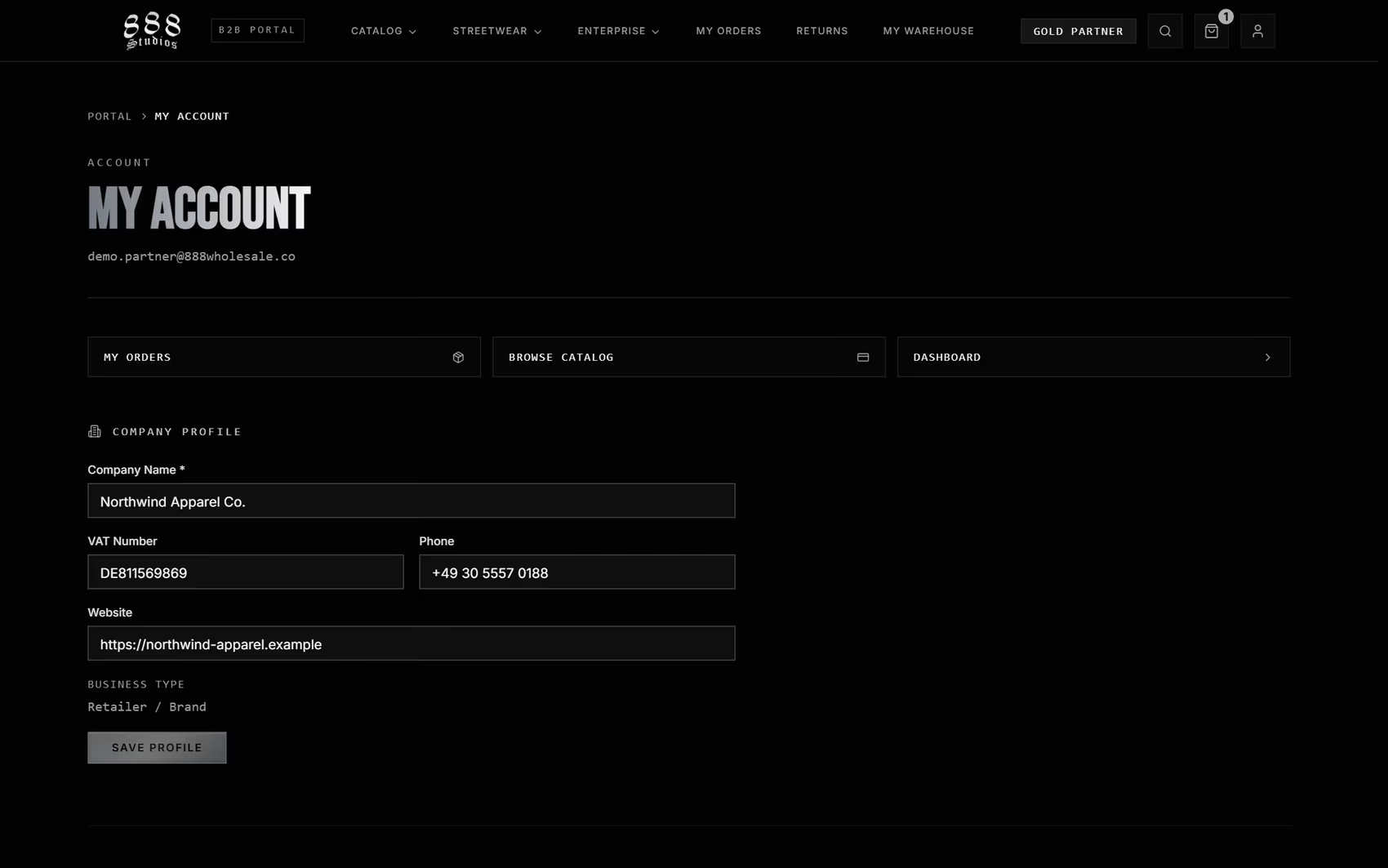
My Account holds your company profile, billing and shipping addresses, password, and partner status. It is also where you download the desktop warehouse client.
This page is also where logistics teams download the 888 WMS desktop client, a Windows application for fast barcode receiving, offline resilience, and a persistent session in the system tray. It is optional, and the web portal covers everything most partners need day to day.
Booking a consultation and getting help
When you want a person rather than a page, Schedule Consultation books a call with the team. Pick a date and a time in your own timezone, add your details, and you are done. It is the right place to scope a private label run, plan capacity, or talk through a supply contract.
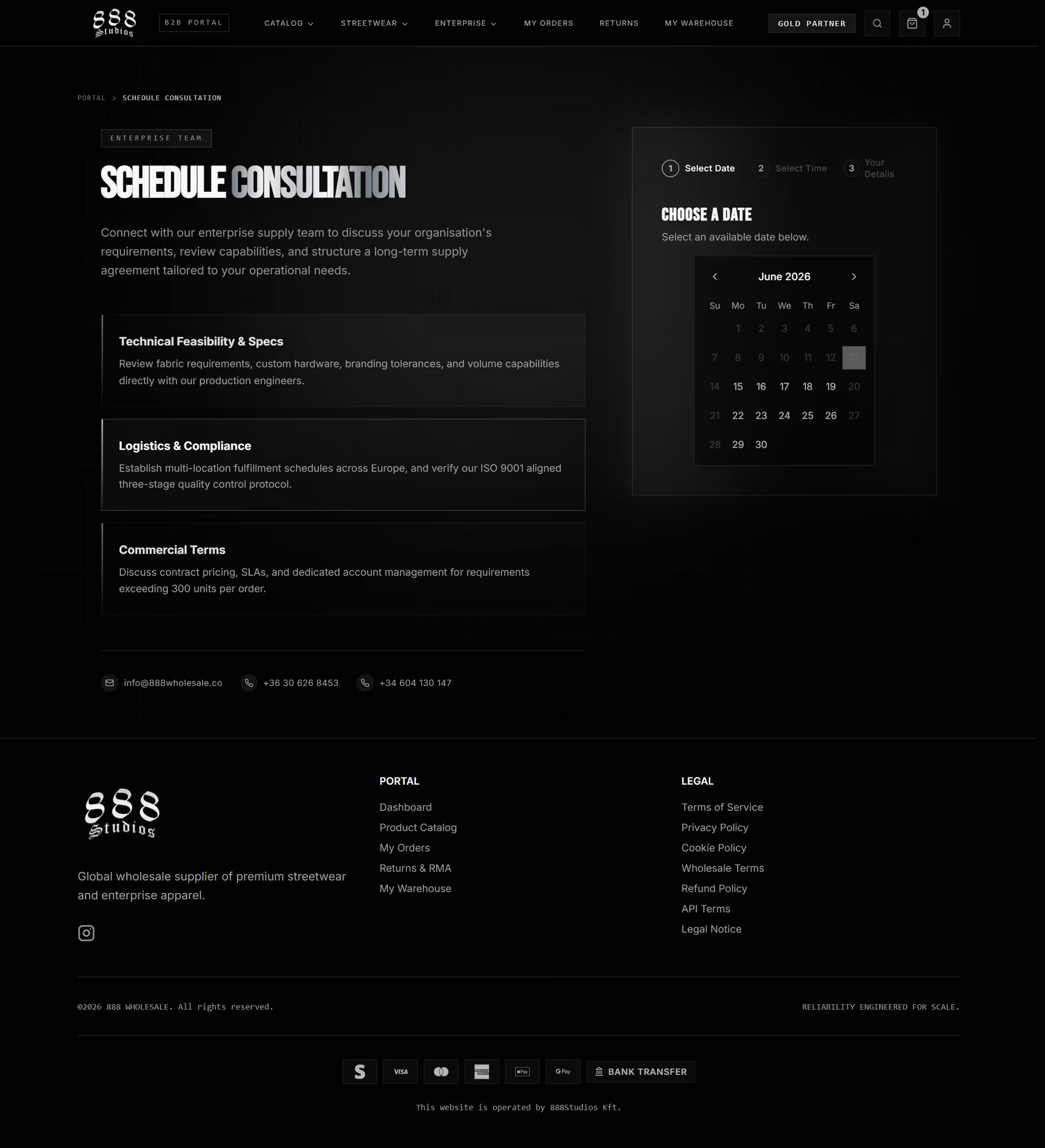
Schedule Consultation books a call in your own timezone. Use it to scope private label, plan capacity, or discuss a supply contract.
For anything else, the contact page routes you to the right desk. If you are still evaluating 888 Wholesale, the streetwear division and enterprise division pages show what each side of the business supplies.
Get started
The portal is designed so that a buyer can move from finding a product to a confirmed order without leaving their account, and come back later to track, reorder, return, or restock from one place. If you are ready, open a wholesale account and sign in. If you would rather talk first, schedule a consultation and we will walk you through it.